Last Updated: October 29, 2026
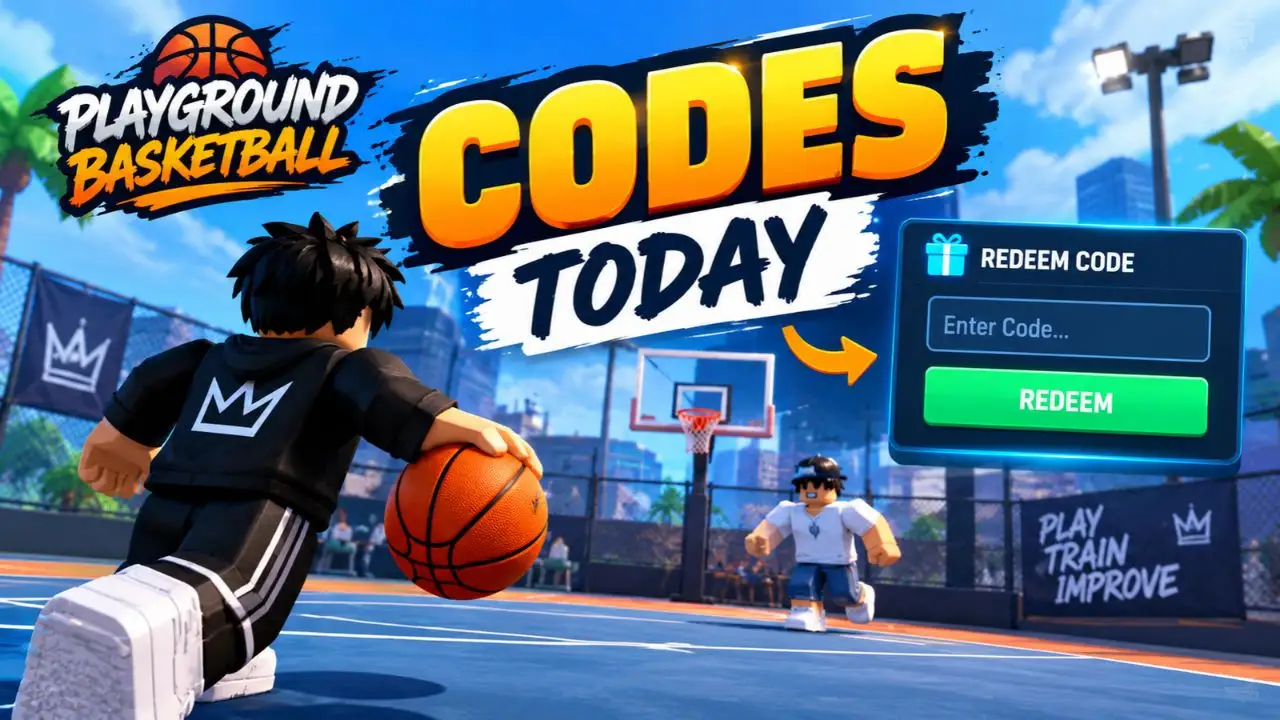
Looking for the latest Playground Basketball codes? These promotional codes can give you free in-game coins, helping you customize your player and improve your experience without spending Robux. However, codes can expire or stop working after an update, so checking their current status is important. As of October 29, 2026, RECUPDATE and UPDATE8 are the two codes with the strongest recent confirmation, each offering 4,500 coins. Other websites report additional codes, but their status is disputed, so we recommend trying them separately rather than treating them as guaranteed rewards.
All Working Playground Basketball Codes
Here are the currently confirmed Playground Basketball codes and their rewards.
| Code | Reward | Status |
| RECUPDATE | 4,500 coins | Recently confirmed |
| UPDATE8 | 4,500 coins | Recently confirmed |
Both codes were reported as active in code-tracking results checked on October 28, 2026. Their availability can change, so redeem them as soon as possible.
Important: UPDATE7 and SEASON3 have also appeared in code lists, but their current status is disputed. Try them after the confirmed codes if you want to check whether they still work on your server.
How to Redeem Playground Basketball Codes
Redeeming Playground Basketball codes is straightforward once you have met the game’s community requirements. Follow these steps to claim your free coins.
- Join the official community: Visit the Playground Basketball game page on Roblox and join the Playground Basketball | Community group.
- Like the game: Like the experience on its Roblox page if the game requires this before redemption.
- Launch the game: Open Playground Basketball and remain on the main menu.
- Find the gift icon: Click the blue gift box icon in the upper-right corner of the screen.
- Enter a code: Type or paste a working code into the redemption field.
- Click Redeem: Submit the code and check your coin balance to confirm that the reward was added.
Enter every code exactly as shown, including its capital letters. Copying and pasting is usually the easiest way to avoid typing mistakes.
If a code does not work, check the troubleshooting section below before trying it repeatedly.
What Are Playground Basketball Codes?
Playground Basketball codes are promotional combinations of letters and numbers released by the game’s developers. They typically accompany updates, bug fixes, community milestones, or special events.
The primary benefit is free in-game currency. Instead of earning every coin through regular gameplay, players can redeem available codes to increase their balance immediately.
Coins can help you customize your character and work toward in-game upgrades. Depending on the items available in the game, you may be able to spend them on clothing, shoes, hairstyles, animations, and player development.
These rewards are particularly useful for newer players who want to personalize their characters without spending premium currency. Experienced players can also benefit from free coins when they want to try different builds or cosmetic combinations.
Keep in mind that promotional codes do not guarantee competitive success. Your performance still depends on your skills, player setup, and ability to use the game’s mechanics effectively.
Why Are My Playground Basketball Codes Not Working?
If a Playground Basketball code fails, one of several issues may be responsible. Work through these checks to identify the problem.
1. The code has expired
Developers can deactivate promotional codes without notice. A code that appeared on an older website may no longer be valid. Check the latest code list and try the most recently confirmed options first.
2. You entered the code incorrectly
Codes may be case-sensitive. Check the spelling, capitalization, and any numbers in the code. Remove accidental spaces before or after the entry.
3. You have not joined the community group
The game may require players to join the official Playground Basketball | Community Roblox group before redeeming codes. Complete this requirement and reopen the game if necessary.
4. The game needs an update
New codes may become available alongside client updates. If a newly released code fails, allow the game to update and try again after joining a fresh server.
5. The code has already been redeemed
Some promotional codes may be limited to one redemption per account. If you have already claimed a reward, entering the same code again may not provide additional coins.
6. The code is incorrectly labelled as active
Third-party websites do not always update their lists simultaneously. If a code fails after you have checked the spelling, account requirements, and game version, it may have expired despite appearing on an older list.
Expired Playground Basketball Codes
The following codes have appeared in previous promotions and older code lists. They are not recommended as reliable sources of current rewards.
| Code | Previously reported reward |
| PGBUGC | 4,500 coins |
| UPDATE5 | 4,500 coins |
| UPDATE4 | 4,500 coins |
| UPDATE3 | 7,500 coins |
| UPDATE2 | 4,500 coins |
| UPDATE1 | 4,500 coins |
| SEASON3 | 4,500 coins |
| 25MVISITS | 7,500 coins |
| 12MVISITS | 7,500 coins |
| 7MVISITS | 4,500 coins |
| STAGE | 4,500 coins |
| MERRYXMAS | 7,500 coins |
| SANTAVSGRINCH | 7,500 coins |
| HOOPFEST | 12,500 coins |
| HOOPORTREAT | 50 Treats |
| PLAYGROUND | 50 Treats |
| SORRYFORBUGS | 10,000 coins |
| THANKSFOR2500LIKES | 1,500 coins |
These are historical reward reports, not a guarantee that the codes will work today. In particular, SEASON3 and some milestone codes have conflicting reports, so their status should be checked in-game before they are definitively classified as expired.
How to Get More Playground Basketball Codes
Finding new codes early can help you claim rewards before a promotion ends. Here are the best places to look.
Follow the official Roblox community. Join the Playground Basketball | Community group and check the game’s official Roblox page for announcements, updates, and promotional information.
Check the official Discord server. If the developers publish a Discord invitation on the game’s Roblox page, join the server and monitor its announcements or updates channels. These channels may provide information about new promotions and game changes.
Check updated code guides. Gaming publications regularly review their Playground Basketball codes pages. Compare the reported codes with recent updates and test uncertain entries in-game.
Look for update and milestone announcements. Previous codes have been associated with game updates, bug fixes, and community milestones. These events are useful opportunities to check for new rewards, although they do not guarantee that a code will be released.
Always prioritize official developer announcements over unverified social media posts. Never share your Roblox password or account credentials to claim a promotional reward.
Final Thoughts
Playground Basketball codes are a convenient way to earn free coins and reduce the time spent building your in-game balance. Start with RECUPDATE and UPDATE8, then check other reported codes individually if you want to find additional rewards.
Remember to join the required community group, enter codes with the correct capitalization, and redeem valid promotions promptly. Since codes can change without notice, keep checking official announcements and current code lists to stay informed about new rewards.
Read More: Roblox Haze Seas Codes | Blox Fruits Codes | FC Mobile Redeem Code Today | BGMI Redeem Code Today | Free Fire Redeem Code Today
Frequently Asked Questions
The latest strongly supported codes are RECUPDATE and UPDATE8. Each provides 4,500 coins according to code-tracking reports checked on October 28, 2026.
The two recently confirmed codes offer a combined total of 9,000 coins if both are successfully redeemed. Additional rewards depend on whether other reported codes are still valid.
Yes, the game’s redemption instructions identify membership in the Playground Basketball | Community group as a requirement. Liking the game may also be required.
Do not assume that a code can be redeemed repeatedly. Promotional codes may be restricted to one claim per account, and submitting a previously redeemed code may not grant additional rewards.
There is no guaranteed release schedule. New codes may accompany updates, bug fixes, events, or community milestones. Check official announcements and updated code lists regularly.
Launch the game on Roblox, open the blue gift box icon in the upper-right corner of the main menu, enter your code, and click Redeem.