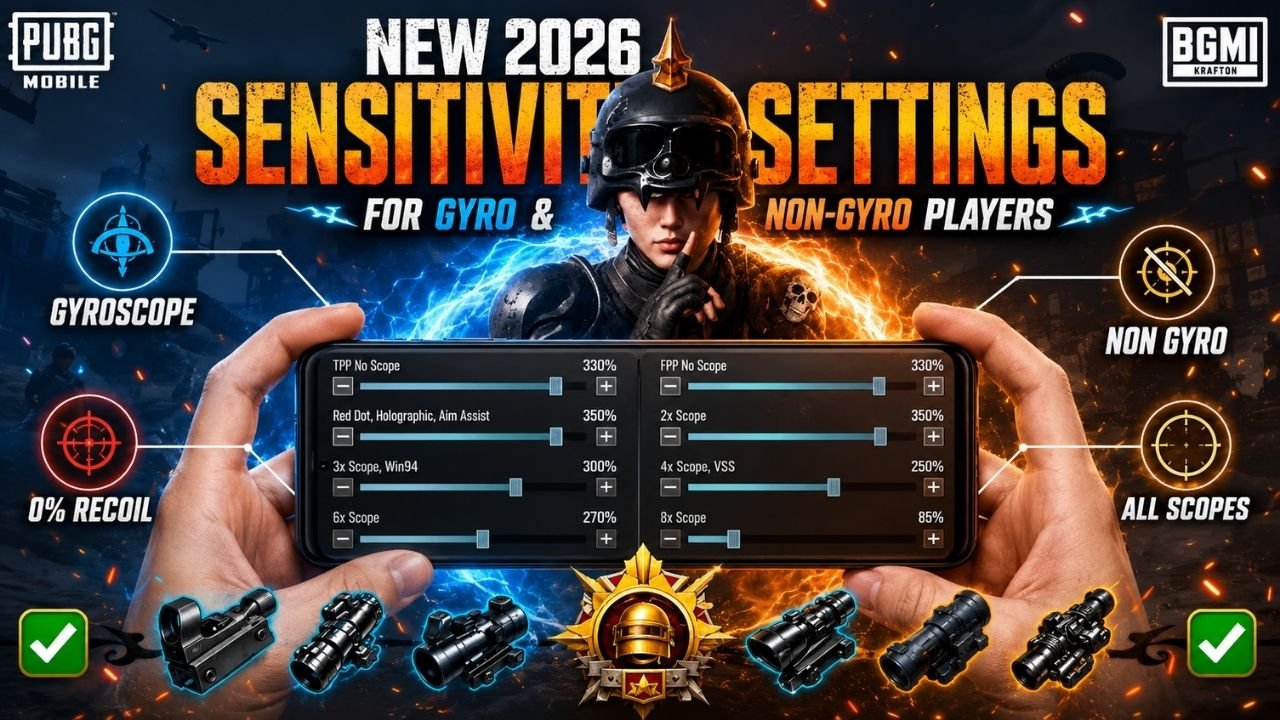
Every BGMI player wants smoother aim and better control. Manually setting up sensitivity for every scope and every gun takes forever. That’s where a BGMI sensitivity code comes in handy. It saves you time and gives you pro-level control instantly.
In this guide, you’ll get the best BGMI sensitivity code for 2026, along with device-specific settings, gun-wise sensitivity, and quick fixes if your code stops working. Whether you play with 2 fingers or use gyroscope, this article covers everything you need. Let’s break it down step by step so you can copy, paste, and start playing better right away.
What Is a BGMI Sensitivity Code?
A BGMI sensitivity code is a string of numbers that stores all your sensitivity settings in one place. Instead of adjusting camera, ADS, and gyroscope values one by one, you simply import the code.
The game reads the code and applies every setting automatically. This includes scope sensitivity, red dot sensitivity, and free look values. It saves time and removes guesswork for new players.
Best BGMI Sensitivity Code for 2026
Not every code works the same for everyone. Your device, playstyle, and grip type all matter. Below are the top picks for this year, along with the actual codes you can copy.
| Code Type | Sensitivity Code | Best For |
| Zero-Recoil Code | 1-7662-5993-8603-4078-000 | Most devices, spray control |
| Alternative Code | 1-7615-8252-8452-0480-352 | Balanced aim and movement |
Best Overall Sensitivity Code
This code balances close-range gunfights and long-range sniping. It works well for most Android and iOS devices without heavy adjustment. Code: 1-7662-5993-8603-4078-000.
Best BGMI Gyroscope Code
Gyro players need extra tilt sensitivity for quick recoil correction. This code focuses on smooth tilt movement combined with steady ADS control. Code: 1-7615-8252-8452-0480-352.
Best Non-Gyroscope Sensitivity Code
If you don’t use gyro, this code relies purely on finger movement. It keeps camera and ADS values slightly higher for faster reaction time. Use the same base code above, then disable gyroscope from Settings before applying.
Best Code for Recoil Control
This code is built around scope stability. It lowers ADS sensitivity slightly while keeping free look sensitivity high for spray control. Start with 1-7662-5993-8603-4078-000 and reduce ADS scope values by 10 points.
BGMI Sensitivity Codes for Different Playstyles
Your finger layout changes how sensitivity should feel. Here’s a quick breakdown for every playstyle.
| Playstyle | Best Suited For | Key Focus |
| 2-Finger | Beginners, casual players | Simple movement, low complexity |
| 3-Finger | Mid-level players | Balance of aim and movement |
| 4-Finger Claw | Competitive players | Fast fire and quick turns |
| Gyroscope | All skill levels | Smooth recoil correction |
2-Finger Sensitivity Code
Two-finger players need moderate camera sensitivity since one thumb handles both movement and aim. Keep ADS sensitivity slightly lower for stability. Import 1-7662-5993-8603-4078-000 and reduce camera sensitivity by 5-10 points for extra control.
3-Finger Sensitivity Code
This layout allows one finger dedicated to firing. You can push camera sensitivity a bit higher without losing aim accuracy. The same base code works well here without major changes.
4-Finger Claw Sensitivity Code
Claw players use separate fingers for fire buttons and movement. Higher sensitivity works better here since reaction speed matters more than smoothness. Increase ADS sensitivity by 10-15 points from the base code.
Gyroscope Player Sensitivity Code
Gyro adds a physical tilt layer. Keep your gyroscope sensitivity code slightly lower than your finger sensitivity to avoid overshooting targets. Code: 1-7615-8252-8452-0480-352 works well as a gyro-focused base.
How to Use a BGMI Sensitivity Code
Applying a code is simple once you know the exact steps. Follow this process carefully.
- Copy your preferred BGMI sensitivity code, for example, 1-7662-5993-8603-4078-000.
- Open BGMI and go to Settings.
- Tap on Sensitivity.
- Look for the “Search Method” or “Load Code” option.
- Paste the copied code into the box.
- Tap Preview to check the values.
- Tap Apply to save the settings.
- Head to Training Ground and test your aim.
Fine-tune the numbers slightly based on your device’s FPS and touch response. Every phone reacts a little differently, so small tweaks matter.
Best BGMI Sensitivity Settings for Aim and Recoil Control
Beyond codes, understanding individual settings helps you customize better. Here’s what each value controls and the recommended range.
| Setting Type | Recommended Range | Purpose |
| Camera (TPP/FPP) | 100-150 | General movement |
| ADS | 60-90 | Scoped aiming |
| Gyroscope | 150-250 | Tilt correction |
| ADS Gyroscope | 200-300 | Recoil handling |
Camera Sensitivity
Camera sensitivity controls how fast you turn while not aiming. Keep TPP and FPP values close to each other for consistency.
ADS Sensitivity
ADS sensitivity affects your aim while scoped in without gyro. Lower values give more control during long-range fights.
Gyroscope Sensitivity
Gyroscope sensitivity manages tilt-based aiming. It should complement your ADS values, not overpower them.
ADS Gyroscope Sensitivity
This setting fine-tunes gyro response specifically while aiming down sights. It’s crucial for controlling spray patterns on automatic weapons.
BGMI Sensitivity Code for Different Devices
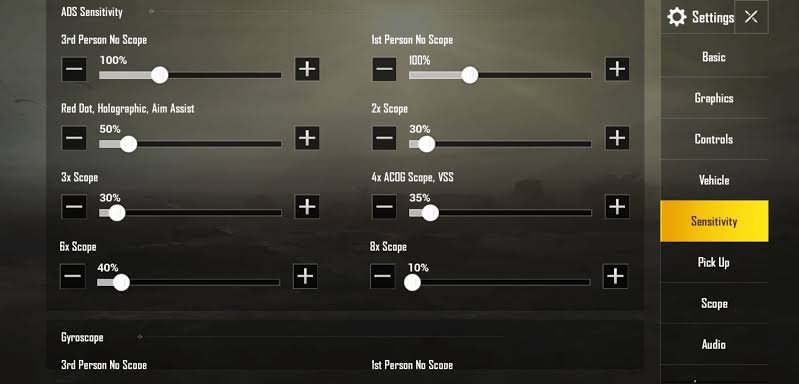
Your device’s screen size and processing power directly affect how sensitivity feels. A code that works great on a flagship phone might feel off on a budget device.
| Device Type | Suggested Adjustment | Notes |
| Low-End Android | Reduce by 10-15% | Slower touch response |
| Mid-Range Android | Use code as-is | Balanced performance |
| iPhone | Increase by 5-10% | Smoother touch response |
| High-Refresh-Rate | Reduce by 5-10% | Faster screen response |
Best Sensitivity for Low-End Android Phones
Low-end phones often have lower touch response rates. Keep sensitivity values slightly reduced to avoid overshooting your targets.
Best Sensitivity for Mid-Range Android Phones
Mid-range devices handle a BGMI sensitivity code fairly well. Standard values from popular codes usually work without much adjustment.
Best Sensitivity for iPhone
iPhones generally have smoother touch response. You can push camera and ADS sensitivity slightly higher than Android defaults.
Best Sensitivity for High-Refresh-Rate Phones
Phones with 90Hz or 120Hz screens respond faster to touch. Lower your sensitivity slightly since movement feels quicker on these displays.
Best BGMI Sensitivity for Popular Guns
Different weapons need different sensitivity tweaks, especially for recoil control. Here’s a breakdown for commonly used guns.
| Gun/Scope | Recoil Level | Sensitivity Tip |
| M416 | Moderate | Mid-range ADS sensitivity |
| AKM | High | Lower gyroscope sensitivity |
| 4x Scope | Moderate | Reduce ADS gyro slightly |
| 6x Scope | Low movement needed | Lowest sensitivity of all |
M416 Sensitivity
The M416 has moderate recoil. Keep ADS sensitivity around the mid-range to control vertical spray without losing aim.
AKM Sensitivity
AKM has stronger recoil compared to the M416. Slightly lower gyroscope sensitivity helps pull the crosshair down smoothly.
4x Scope Spray Sensitivity
At 4x scope, small movements matter a lot. Reduce ADS gyroscope sensitivity for tighter spray control.
6x Scope Spray Sensitivity
Long-range spraying with 6x scope needs the lowest sensitivity among all scopes. Precision matters more than speed here.
Can a BGMI Sensitivity Code Give You Zero Recoil?
This is a common question, and the honest answer is no. No BGMI sensitivity code completely removes recoil. What it does is help you control and reduce recoil significantly through balanced settings.
Recoil in BGMI depends on gun mechanics, not just sensitivity. A good code makes spray patterns easier to manage, but you still need practice. Think of it as a tool that supports your skill, not a replacement for it.
How to Find the Right Sensitivity for Your Device
Every device behaves differently, even with the same code applied. Testing is essential before you jump into ranked matches.
Test Your Settings in Training Ground
Always test a new BGMI sensitivity code in Training Ground first. Check how your crosshair moves during spray and quick turns.
Adjust Sensitivity in Small Steps
Avoid making big changes at once. Adjust values by 5 to 10 points and test again before making further changes.
Check Your Aim and Spray Pattern
Watch how your bullets land during recoil control drills. If spray goes too high or too low, tweak gyroscope sensitivity accordingly.
BGMI Sensitivity Code Not Working? Try These Fixes
Sometimes codes don’t apply correctly. Here are common issues and how to solve them.
Code Expired or Invalid
Older codes sometimes stop working after game updates. Try a newer bgmi sensitivity code from a trusted source.
Cloud Settings Not Loading
If your settings aren’t saving, check your internet connection. Cloud sync requires a stable connection to store sensitivity data.
Sensitivity Changed After Import
Some codes reset slightly after importing due to device calibration. Reapply the code and restart the game if needed.
Code Works Differently on Another Device
The same code can feel different on another phone due to screen size and refresh rate. Always fine-tune after switching devices.
Common BGMI Sensitivity Mistakes to Avoid
Many players make small errors that hurt their gameplay over time. Avoid these common mistakes.
- Copying a pro player’s settings without testing them yourself
- Changing sensitivity after every single match
- Using the same settings across different devices without adjustment
- Ignoring your personal gyro preference and forcing a playstyle that doesn’t suit you
Conclusion
Finding the right BGMI sensitivity code can transform how you play. It saves time, improves control, and helps you focus more on strategy than settings. Whether you’re a gyro user or prefer finger-only movement, testing and small adjustments will always give the best results. Start with a trusted code, fine-tune it to your device, and practice regularly to see real improvement in your gameplay.
Read Also: Bixi OP BGMI ID | Lolzzz Gaming BGMI ID | Payal Gaming BGMI ID
Frequently Asked Questions About BGMI Sensitivity Codes
The best code depends on your playstyle, but codes like 1-7662-5993-8603-4078-000 work well as a strong starting point for most players.
A balanced sensitivity with moderate ADS and higher gyroscope values usually works best for both close and long-range fights.
No setting gives true zero recoil. Lower ADS gyroscope sensitivity combined with practice offers the best recoil control.
Yes, gyroscope generally gives smoother and faster recoil correction compared to finger-only movement.
You can import the same code, but you should fine-tune it slightly since devices respond differently.
Go to Settings, tap Sensitivity, select Load Code, paste your code, and apply it after previewing.
It could be an outdated code, a syncing issue, or device calibration differences. Try reapplying it or using a newer code.
You shouldn’t change it too often. Stick with one setup for a few matches before deciding if adjustments are needed.