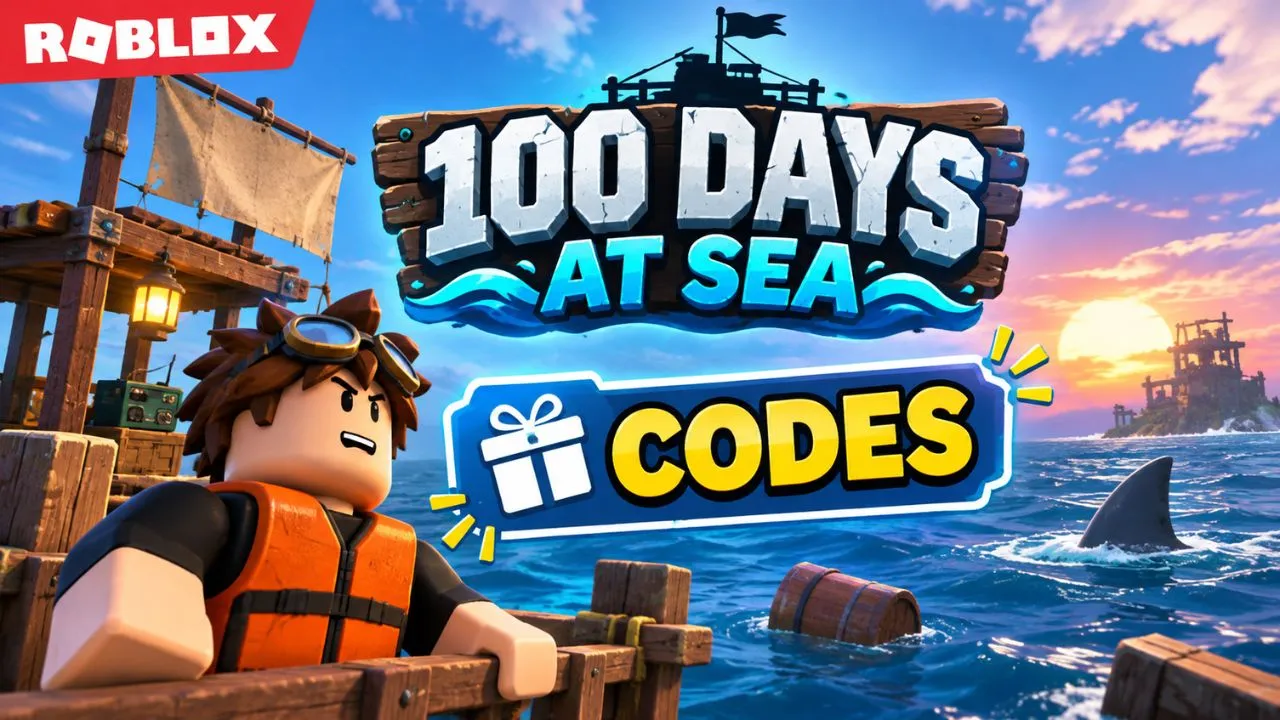
Looking for the latest Roblox 100 Days at Sea codes? You’re in the right place. These redeem codes can help you collect free Pearls, an important in-game currency that you can use to unlock new classes and companions. Instead of spending hours collecting resources, you can use these codes to claim additional rewards and make your survival journey easier.
In this guide, we’ve covered the latest reported working codes, their rewards, expired codes, and the complete redemption process. We’ve also included solutions to common problems players may encounter while redeeming codes.
All Roblox 100 Days at Sea Codes (November 2026)
Here are the latest codes reported by Roblox code-tracking websites. Some codes have conflicting status reports, so redeem them as soon as possible.
| Code | Reported reward | Status |
| TURKEY | 20 Pearls | Recently added |
| AQUARIUM | 20–25 Pearls | Reported active |
| CORAL | 20–40 Pearls | Conflicting reports |
| SPOOKY | 20 Pearls | Conflicting reports |
| RAFT | 20 Pearls | Reported active |
| RIVAL | 20 Pearls | Reported active |
| SURVIVOR | 20 Pearls | Uncertain |
Important: These are reported codes, not seven independently verified working codes. TURKEY and AQUARIUM are among the more recent additions. CORAL and SPOOKY have conflicting active/expired reports, while RAFT, RIVAL, and SURVIVOR appear in some trackers but not others.
Expired 100 Days at Sea Codes
The following codes have previously been distributed but are now listed as expired by multiple trackers. You can still try them, but don’t expect them to work.
| Expired code | Previous reward |
| SKELLY | 20 Pearls |
| CLASSES | 20 Pearls |
| DECORATE | 20 Pearls |
| 20Pearls | 20 Pearls |
| POTION | 20 Pearls |
| CHAOS | 20 Pearls |
| CORRUPT | 20 Pearls |
| HERO | 20 Pearls |
| ALIENS | 20 Pearls |
How to Redeem 100 Days at Sea Codes?
Redeeming codes in 100 Days at Sea is straightforward. You don’t need to complete a particular mission or reach a specific survival day before accessing the redemption feature.
Follow these steps to claim your free rewards:
- Open Roblox and launch 100 Days at Sea.
- Wait for the game to load completely.
- Find the CODES button in the top-left corner of your screen.
- Click the button to open the code redemption window.
- Enter a working code in the provided text box.
- Click the SUBMIT button.
- Check your Pearl balance to confirm that you’ve received your reward.
Make sure you enter the code correctly. Copying and pasting it directly from the list above can help prevent spelling mistakes. If a code doesn’t work, try another recently reported code.
What Are 100 Days at Sea Codes?
100 Days at Sea codes are special promotional codes released by the game’s developers, Stranded Devs. Players can redeem these codes to receive free in-game rewards, particularly Pearls.
These codes are generally released alongside new updates, seasonal events, and special announcements. Most previously distributed codes have offered 20 Pearls, although the amount can vary.
Unlike resources that you collect by exploring the ocean or completing activities, redeem codes provide an additional way to obtain rewards without spending extra time grinding.
However, these promotional codes are usually available for a limited period. Once the developers deactivate a code, players can no longer claim its associated reward.
What Are Pearls Used for in 100 Days at Sea?
Pearls are an important currency in 100 Days at Sea because they allow players to unlock useful items that can improve their survival experience.
Here are two important ways to use them:
1. Unlocking Classes
Classes provide different advantages and abilities that can influence how you approach a survival run. Choosing a suitable class can help you adapt to different challenges and improve your overall gameplay.
2. Purchasing Companions
You can also spend Pearls to obtain companions. These companions have their own abilities, which can provide useful assistance during your journey at sea.
Since both classes and companions require Pearls, redeeming available promotional codes is a convenient way to increase your currency balance.
Why Are My 100 Days at Sea Codes Not Working?
Sometimes, a promotional code may fail even when you’ve entered it correctly. There are several possible reasons for this problem.
1. The Code Has Expired
This is one of the most common reasons. Developers deactivate promotional codes after a certain period, making them unavailable for redemption. Try another recently released code.
2. You Have Already Redeemed the Code
Most promotional codes can only be redeemed once per Roblox account. If you’ve already claimed the reward, entering the same code again won’t provide additional Pearls.
3. Incorrect Spelling
A small typing mistake can prevent successful redemption. Check the spelling carefully and copy the code directly from the list.
4. Game Server Issues
Sometimes, temporary server problems can interfere with the redemption process. Wait a few minutes, rejoin the game, and try again.
5. An Outdated Game Version
If the game has recently received an update, an older server may not recognise newly released codes. Leave the experience, launch it again, and try redeeming the code in an updated server.
How to Get More 100 Days at Sea Codes?
If you want to collect additional free Pearls, there are several ways to stay informed about newly released promotional codes.
- Official Roblox Game Page: Keep checking the game’s description and update announcements for new code releases.
- Developer Discord Server: Follow the official Stranded Devs community for announcements, events, and promotional rewards.
- Game Updates: Check the game whenever a major update arrives, as developers sometimes release new codes alongside new features.
- Bookmark This Page: We recommend bookmarking this guide because we regularly check code trackers and update the list when new information becomes available.
Remember that unofficial websites may publish outdated or unverified codes. Always prioritise announcements from the game’s developers.
Read Also: Blue Lock Rivals Codes | Roblox Clover Retribution Codes | Dueling Grounds Codes | Sol’s RNG Codes | Jujutsu Infinite Codes | Sailor Piece Codes | Roblox Jujutsu Zero Codes | Roblox King Legacy Codes | Roblox Gakuran Codes
Frequently Asked Questions
1. What are the latest Roblox 100 Days at Sea codes?
TURKEY, AQUARIUM, CORAL, SPOOKY, RAFT, RIVAL, and SURVIVOR are among the recently reported codes. However, their availability varies between trackers, so redeem them to check which ones are still working.
2. What rewards can I get from 100 Days at Sea codes?
Most previously released codes provide free Pearls. These Pearls can be used to unlock classes and purchase companions.
3. How do I redeem codes in 100 Days at Sea?
Launch the game on Roblox, click the CODES button in the top-left corner, enter a working promotional code, and press SUBMIT to claim your reward.
4. Why do 100 Days at Sea codes expire?
Developers release promotional codes for limited periods, often to celebrate updates, seasonal events, or special occasions. Once a code expires, it can no longer be redeemed.
5. Can I redeem the same code more than once?
No. Promotional codes are generally limited to one redemption per Roblox account. You cannot repeatedly claim the same reward using an already redeemed code.
6. How often are new 100 Days at Sea codes released?
There is no fixed release schedule. New codes are often associated with game updates, community events, and special occasions, so checking the official developer announcements is recommended.
7. What should I do if a working code doesn’t redeem?
First, check its spelling and make sure it hasn’t expired or been redeemed previously. If the problem continues, restart the game and try again on an updated server.
8. Are 100 Days at Sea codes free to use?
Yes. Official promotional codes are free to redeem. You don’t need to purchase Robux or spend real money to claim their rewards.